Converting Ami Pro .SAM to Markdown for Docs Pipelines
If your documentation lives in a repository, every converted document becomes reviewable, diffable, and searchable with the tools your team already uses.
TL;DR
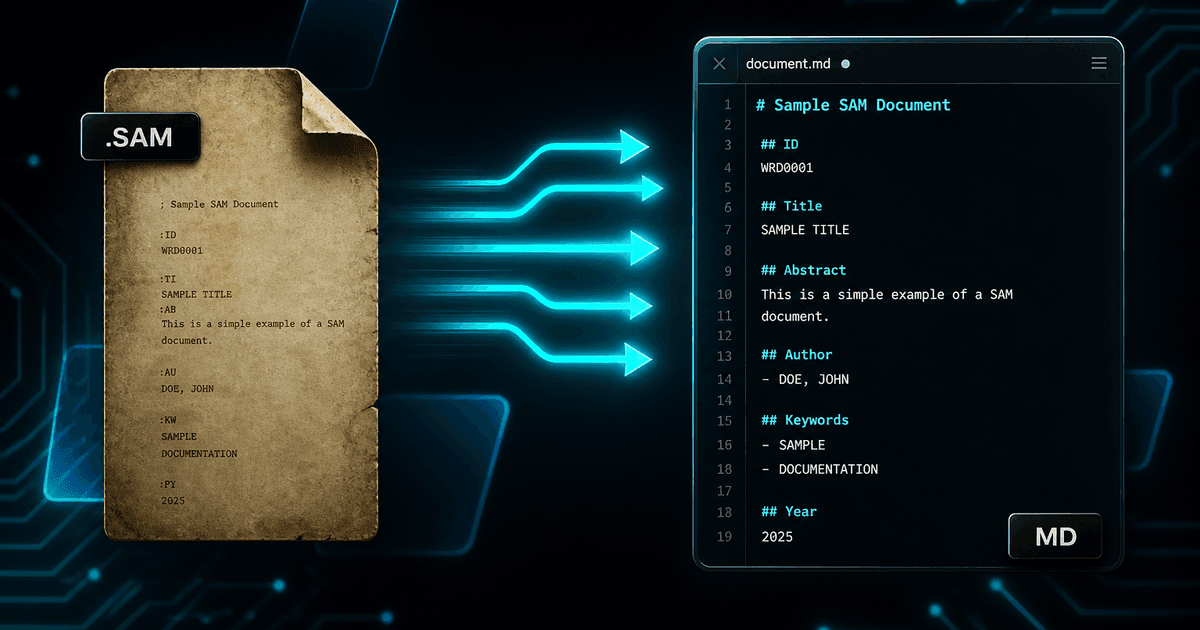
Choose Markdown when the content is heading into a repository, a static site generator, or a text pipeline. Markdown is small, diff-friendly, and portable: headings, lists, tables, and links survive, extracted diagrams become linked image files, and equations can carry their LaTeX. Combined with Git, a converted Ami Pro archive becomes reviewable in pull requests instead of trusted on faith. Convert with Ami Pro Converter.
Why Markdown for legacy documents
Docs-as-code changed what "having documentation" means. Content in a repository gets version history, code review, automated link checking, and a build pipeline. Content in a proprietary binary format gets none of that — and a .sam file gets less than none, because no tool in the chain can even read it.
Converting to Markdown moves decades of material into the same workflow as everything else. A 1995 installation procedure becomes a file you can diff against its 2002 revision, annotate in a pull request, and publish through the same static site generator as this quarter’s release notes.
Markdown is also the most durable practical choice available. It is plain text with a light convention layer: readable without any software, parseable by dozens of implementations, and convertible to HTML, PDF, DOCX, or anything else on demand. Given that the whole problem started with a vendor format outliving its vendor, that portability is the point.
What maps cleanly, and what does not
Markdown is deliberately minimal, which is its strength and its limit. Structure translates well; presentation does not, and that is usually fine because presentation is the layer you want to replace anyway.
- Headings — Ami Pro styles from the .STY sheet become Markdown heading levels, giving real document structure
- Lists — bulleted and numbered lists convert to standard Markdown lists, including nesting
- Emphasis — bold and italic map directly; underline has no Markdown equivalent and typically becomes emphasis
- Tables — simple tables become pipe tables; complex merged-cell layouts cannot be represented and need HTML fallback or a note
- Images — extracted WMF/EMF diagrams are written as files and referenced with standard image syntax
- Equations — available as LaTeX for math-capable renderers, or as linked images where they are not
Style sheets are what make headings possible
This is the detail that decides whether Markdown conversion is useful or worthless. Markdown has no concept of "16-point bold Helvetica" — it has heading levels. The only way a converter can know that a line is a level-two heading rather than an emphasised paragraph is by resolving the paragraph style against the .STY style sheet.
With the style sheet present, a converted document arrives with a heading hierarchy you can build a table of contents from and chunk on. Without it, you get a flat sequence of paragraphs with occasional bold lines, and every one of the benefits above evaporates.
So before converting an archive for a docs pipeline, verify the .STY files came across from the old server. It takes a minute and it determines the outcome of the entire project.
Handling images in a repository
1. Decide where assets live
Most static site generators expect images in a dedicated directory or colocated with the page. Choose the convention before converting so you are moving files once, not renaming references across thousands of Markdown files afterwards.
2. Watch repository size
Extracted diagrams add up. A few thousand documents with figures can add hundreds of megabytes to a repository that was previously text-only. Consider Git LFS, or keep assets in object storage and reference them by URL.
3. Normalise file names
Legacy archives are full of DOS-era names, spaces, and mixed case. Normalise to lowercase hyphenated names during the move and keep a mapping table so you can still trace a published page back to its original .sam file.
4. Choose an equation strategy up front
If your site renders math, use the extracted LaTeX and get sharp, selectable, searchable formulas. If it does not, use rendered images and accept that the mathematics is not searchable. Mixing both across one archive is the option to avoid.
Reviewing thousands of converted files
Nobody reads three thousand Markdown files, but Git makes selective review tractable in a way that a folder of DOCX files does not. Land the conversion output as a single large commit on a branch, then review by pattern rather than by file.
Grep is the main tool here. Search for suspiciously short files, files with no heading at all, unresolved image references, stray bracketed markup that indicates a parsing gap, and replacement characters that indicate an encoding problem. Each of those searches surfaces a class of failure in seconds.
Add automation to the pipeline while you are at it: a link checker to catch broken internal references, a front-matter validator if your generator requires it, and a build step that fails on missing images. Once those pass, the archive is in the same quality regime as your maintained documentation.
Where Markdown is the wrong target
Markdown deliberately cannot express complex page layout, and some Ami Pro documents were designed rather than written — newsletters, formatted forms, report covers with frame-based composition. Forcing those into Markdown produces something technically valid and practically useless.
The same applies to documents whose meaning is legal and depends on exact presentation: executed contracts, signed forms, official notices. For those, PDF is the honest output, and if you want them discoverable alongside the Markdown, convert to both and link the PDF from a short Markdown stub.
Being selective is not a compromise. A docs repository full of clean, structured Markdown plus a linked set of PDFs for documents that need fixed layout is a better outcome than a uniform pile of degraded conversions.
What Markdown gives a legacy archive
- Version history, code review, and diffs for documents that never had them
- Publishable through the same static site generator as current documentation
- Tiny, portable plain-text files that outlast any single tool
- Heading structure suitable for tables of contents and AI chunking
- LaTeX equations that stay searchable instead of becoming pictures
Legacy documents deserve modern tooling
The gap between a .sam file and a Markdown file in a repository is not just a format change. It is the difference between content nobody can inspect and content that participates in review, search, and automated publishing like everything else your team writes.
Confirm the style sheets, decide your asset and equation conventions before you start, convert the archive in one pass, and review by grep rather than by reading. Then send it through the same pipeline as the rest of your docs.
Convert your files
Related reading
Bring Ami Pro documents into your docs pipeline
Free trial converts up to 10 .sam files to Markdown with extracted images and LaTeX — test the structure before converting the archive.
Free trial
Full app features — up to 10 files
Windows 10 or 11
Download the Windows installer for the full 10-file trial. Same app you unlock with a license — 100% local on your PC.