Recovering Ami Pro Equations and WMF Diagrams
The parts of a technical document that matter most are the parts most conversions drop. A close look at what is embedded in a .SAM file and how to get it back.
TL;DR
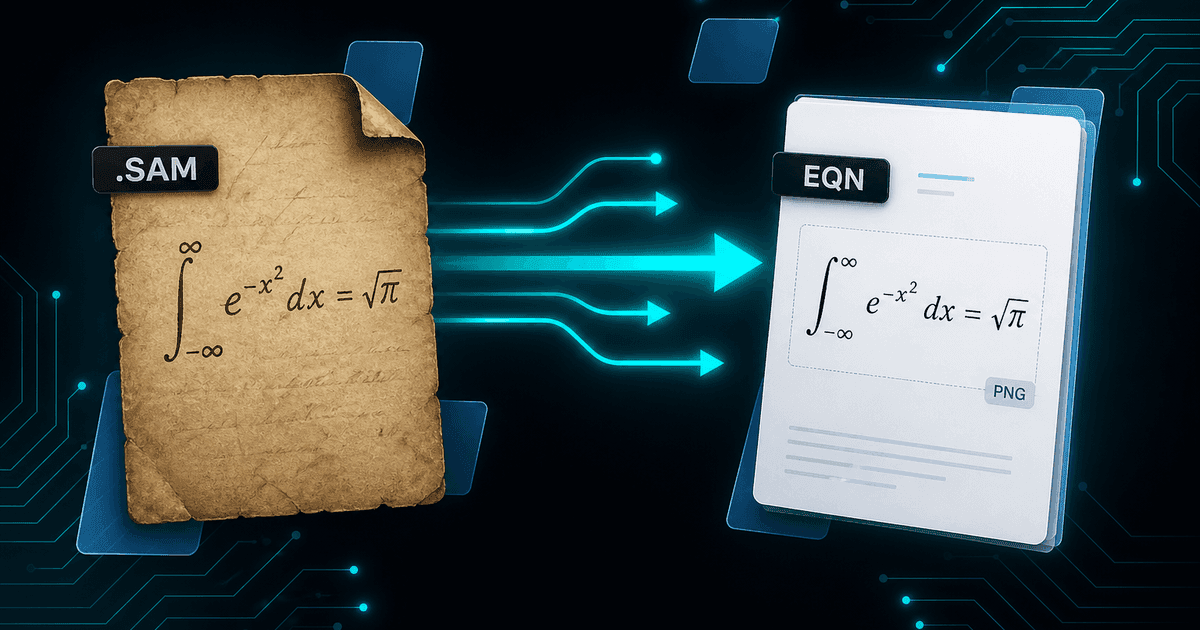
Ami Pro embedded two kinds of object that plain-text extraction cannot touch: WMF/EMF vector drawings and equations from its built-in editor. Both are stored inside the .sam stream, so a converter that only walks text output silently produces documents with holes in them. Ami Pro Converter extracts diagrams as image files and recovers equations both as rendered images and as extracted LaTeX, so formulas stay visible in DOCX and PDF and stay machine-readable in Markdown.
The silent-loss problem
The worst conversion failure is not the one that errors out. It is the one that succeeds, produces a clean-looking document, and quietly omits content. You do not find out at conversion time; you find out when someone reads a report that says "the relationship is given by the equation below" followed by a blank line.
Technical Ami Pro documents are particularly exposed to this. Engineering calculations, laboratory reports, university course notes, standards submissions, and patent drafts all lean on figures and formulas, and those are exactly the elements a text-oriented conversion cannot see.
Which means verifying diagram and equation recovery is not an optional refinement. For a technical archive it is the acceptance test.
What Ami Pro actually embedded
Ami Pro used the Windows Metafile family for drawings. WMF and its 32-bit successor EMF are vector formats: they store drawing commands — lines, arcs, filled polygons, text placement — rather than a grid of pixels. That is why an Ami Pro flowchart from 1994 can be re-rendered crisply at any size today, provided something can read it.
Equations came from Ami Pro’s built-in equation editor, which stored formulas as structured markup describing the mathematical layout: numerators and denominators, radicals, sub- and superscripts, sums and integrals with their limits. It is a description of mathematics rather than a picture of it, which turns out to be very useful.
Both object types live inside the .sam stream alongside the text. Because the format is text-based with bracketed markup, embedded binary and structured data is encoded within it — recoverable, but only by a parser that knows the encoding is there.
Why generic converters lose them
1. No Ami Pro parser exists to build on
Word has no .SAM import filter and LibreOffice has no Ami Pro filter, so a general-purpose converter has nothing to delegate to. Most fall back to scraping visible text out of the stream, which by construction cannot see embedded objects.
2. WMF/EMF needs rendering, not copying
Extracting a metafile is only half the job. To place it in a DOCX or PDF the drawing commands must be executed and rasterised or re-embedded. Converters that skip that step produce broken image placeholders.
3. Equation markup is proprietary
Ami Pro’s equation representation is specific to Ami Pro. Turning it into something modern means understanding the layout grammar and translating it — into rendered output for display, or into LaTeX for machine-readable use.
4. Nothing warns you
A converter that ignores embedded objects usually reports success. Without a per-file object count there is no signal that anything was dropped, which is how holes end up in a migrated archive unnoticed.
How recovery works in practice
Diagram recovery starts by locating embedded metafile data in the stream, reconstructing it into a valid WMF or EMF file, and then rendering it. From there the image is written out and referenced from the converted document — embedded in DOCX and PDF, or written as a linked image file for HTML and Markdown output.
Equation recovery runs two paths in parallel because different outputs need different things. The formula is rendered to an image so that DOCX, PDF, and RTF show the mathematics laid out correctly; and it is translated to LaTeX so that Markdown, HTML, and text outputs carry a representation a machine can read, search, and re-render.
That dual approach is what makes technical archives genuinely reusable. An image of an equation is fine to look at and useless to search. LaTeX is searchable, indexable, convertible to MathML, and can be pasted straight into a modern editor when someone needs to reuse the formula.
Choosing an output format for technical documents
- PDF — the reliable visual record; diagrams and equations render exactly as laid out
- DOCX — editable text with figures and equation images embedded; use the LaTeX to rebuild formulas you need to edit
- Markdown — best for search and AI pipelines, because equations arrive as LaTeX rather than pictures
- HTML — figures become linked image files and formulas can be rendered client-side; good for intranet publishing
- TXT — expect to lose all visual content; useful only for triage and full-text search
Verifying that nothing was dropped
Build your review sample around figures rather than around file size. Search the plain-text output of the archive for phrases like "Figure", "Table", "Equation", "shown below", and "see diagram", then check those specific documents in the converted output. Cross-references are a reliable map to where visual content should be.
For each one, confirm three things: the image is present rather than a placeholder, it renders at a sensible size and is legible, and it appears in the right position relative to the text that references it.
For equations, additionally confirm the mathematics is correct — subscripts and superscripts in the right places, radicals covering the right terms, limits attached to the right operators. A rendered equation that is subtly wrong is more dangerous than one that is missing, because it looks authoritative.
A note on documents that were designed, not just written
Ami Pro supported frame-based layout, which some authors used heavily for newsletters, brochures, and report covers. Those documents are less about recoverable content and more about composition, and their layout does not have a clean equivalent in DOCX.
For that subset, treat PDF as the authoritative output and DOCX as a convenience copy. You keep a faithful visual record of what the document looked like, plus editable text for anyone who needs to reuse the words, and you avoid spending days trying to rebuild 1990s page design in Word.
Why object recovery matters
- Technical documents are often mostly figures and formulas — losing them empties the document
- WMF/EMF drawings are vector data and re-render cleanly at any size
- Ami Pro equation markup describes mathematics, so it can become LaTeX rather than a screenshot
- LaTeX output keeps formulas searchable, indexable, and reusable
- Cross-references in the text give you a reliable checklist for verification
Check the figures before you trust the migration
A technical archive is only migrated when its diagrams and equations arrive with the text. Everything else — styles, tables, pagination — is easier to spot and easier to fix; embedded objects are the elements that vanish quietly.
Convert a figure-heavy sample first, verify against the cross-references in the text, and choose outputs that match the destination: PDF for the record, DOCX for editing, Markdown when the mathematics needs to stay machine-readable.
Convert your files
Related reading
Recover the figures and formulas in your Ami Pro archive
Free trial converts up to 10 .sam files with diagram and equation recovery enabled — test it on your most technical documents.
Free trial
Full app features — up to 10 files
Windows 10 or 11
Download the Windows installer for the full 10-file trial. Same app you unlock with a license — 100% local on your PC.